


From the Charkha to AI: Why India’s Next Chapter of Self-Reliance Will Be Built on Capability

Back to Blogs Page A Few Years Ago, Using an AI Assistant at Work Felt Like an Experiment Someone might ask it to rewrite an email, summarise a long document, or suggest ideas for a presentation. The result was interesting, but the actual work still happened somewhere else. That relationship is changing. In 2026, AI assistants are increasingly becoming part of the normal working day. They’re showing up inside development environments, productivity platforms, customer service systems, business applications, and internal knowledge tools. Employees aren’t always opening a separate AI website anymore – in many cases, AI is simply becoming part of the software they already use. That shift matters because it changes the question enterprises need to ask. It’s no longer just “Should our employees use AI?“ It’s becoming “How should AI assist our employees while they work?“ AI Is Moving Closer to the Work The most useful AI assistant may not be the one with the most impressive demo. It may be the one that shows up at exactly the right moment. A developer gets help while writing code. A sales employee gets a summary before a customer meeting. An analyst can ask questions about a business document instead of reading every page manually. A support employee receives suggested responses while handling a customer issue. The common thread is context. AI becomes genuinely useful when it understands enough about the task to offer relevant assistance – without forcing the employee to constantly switch between applications. This is one reason enterprise AI adoption is moving from experimentation toward integration. Employees Don’t Want Another Tool to Manage There’s a practical reason AI assistants are gaining traction. Employees already juggle dozens of applications. Adding another standalone platform means another login, another interface, another process, and another place where information needs to be copied over. An assistant built into an existing workflow feels different. If a developer gets coding assistance inside their development environment, there’s far less disruption. If a sales professional can summarise customer information within the system they already use, the benefit is immediately clear. The future of workplace AI may be less about telling employees to “go use AI” and more about bringing AI into the places where work already happens. The First Productivity Gains Are Often Small Not every AI use case needs to transform an entire department. Some of the most useful improvements are refreshingly ordinary. An employee might spend 20 minutes turning meeting notes into action items – AI can cut that down to a few minutes. A manager might spend an hour summarising several reports before a meeting – an assistant can produce a first draft the manager simply reviews. A developer might spend time searching documentation or explaining repetitive code – AI can handle the first pass. Individually, these savings can look small. Across hundreds or thousands of employees, they add up to something significant. This is exactly why enterprises need to be careful about how they measure AI productivity. The value often doesn’t show up as one dramatic cost reduction — it emerges through hundreds of small improvements repeated daily. AI Assistants Are Not Replacing Human Judgement The word “assistant” is useful because it describes the role fairly accurately. An assistant can prepare, organise, suggest, summarise, and accelerate. The employee still decides. For important business decisions, AI output still needs to be checked against reliable information, and employees need to recognise when a response might be incomplete or unsuitable. This matters even more when AI is handling sensitive information. A solid enterprise AI strategy needs both capability and clear boundaries. Employees should know what they’re allowed to ask an assistant to do, what information they can share with it, and when human approval is required. The Nature of Work Is Changing Too There’s another effect that gets less attention. When AI takes on some of the smaller tasks surrounding a job, employees often end up spending more time on the parts of their role that genuinely require judgement. Take a software engineer: if AI handles repetitive code, documentation, debugging suggestions, and test generation, the engineer can spend more time thinking about architecture and system behaviour. A sales professional may spend less time preparing information and more time actually speaking with customers. An analyst may spend less time formatting data and more time interpreting what it actually means. This isn’t just about doing the same work faster. It can genuinely change where employees direct their attention. AI Assistants Are Becoming More Context-Aware Early AI assistants relied almost entirely on what the user typed into a prompt. Enterprise systems are moving toward something different. An assistant can now potentially draw on information already available within the user’s authorised environment — documents, project details, customer records, code, internal knowledge, or business processes. That opens up far more useful interactions. Instead of asking: “Summarise this document.” an employee might ask: “What changed from the previous version, and what do I need to act on?” That second question requires real context. As enterprise AI becomes more connected to business systems, context is likely to become one of the biggest differentiators between basic AI usage and genuinely useful AI assistance. This Is Where AI Skills Become Important Giving an employee an AI assistant doesn’t automatically teach them how to work with it. Employees need to understand how to provide useful context, evaluate responses, protect sensitive information, and recognise when the system needs human direction. They also need to understand where the technology’s limits lie. A professional who knows how to question an AI response can extract far more value from the same tool than someone who accepts every answer at face value. This is why AI literacy is increasingly a workplace capability, not just a technical skill. Enterprises Will Need Different AI Skills for Different Roles A common mistake is treating AI training as a single subject for everyone. It isn’t. A developer may need AI-assisted coding and application-development skills. A cloud engineer may need to understand AI infrastructure
Why AI Assistants Are Becoming Part of Everyday Enterprise Work
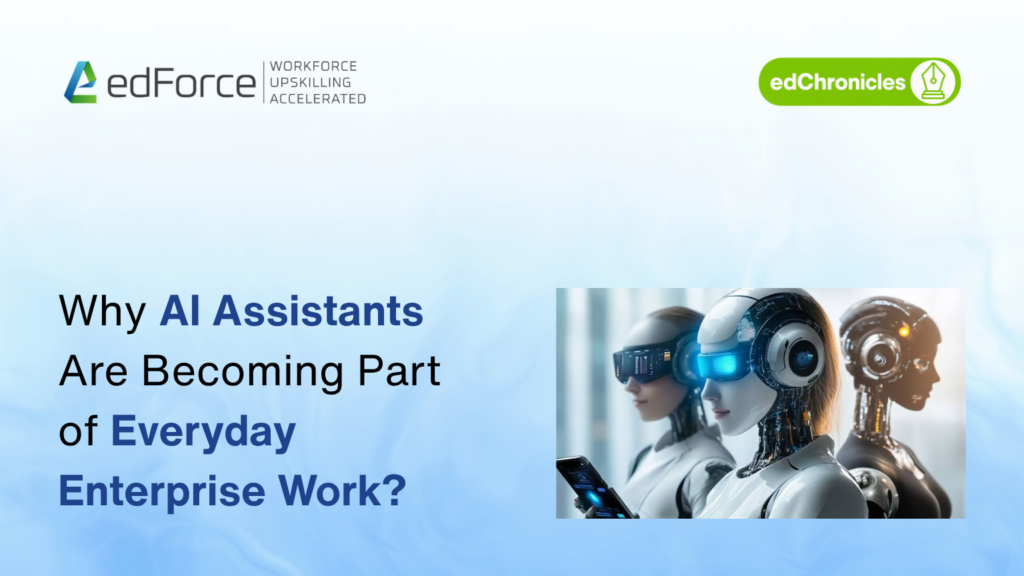
A Few Years Ago, Using an AI Assistant at Work Felt Like an Experiment Someone might ask it to rewrite an email, summarise a long document, or suggest ideas for a presentation. The result was interesting, but the actual work still happened somewhere else. That relationship is changing. In 2026, AI assistants are increasingly becoming part of the normal working day. They’re showing up inside development environments, productivity platforms, customer service systems, business applications, and internal knowledge tools. Employees aren’t always opening a separate AI website anymore – in many cases, AI is simply becoming part of the software they already use. That shift matters because it changes the question enterprises need to ask. It’s no longer just “Should our employees use AI?“ It’s becoming “How should AI assist our employees while they work?“ AI Is Moving Closer to the Work The most useful AI assistant may not be the one with the most impressive demo. It may be the one that shows up at exactly the right moment. A developer gets help while writing code. A sales employee gets a summary before a customer meeting. An analyst can ask questions about a business document instead of reading every page manually. A support employee receives suggested responses while handling a customer issue. The common thread is context. AI becomes genuinely useful when it understands enough about the task to offer relevant assistance – without forcing the employee to constantly switch between applications. This is one reason enterprise AI adoption is moving from experimentation toward integration. Employees Don’t Want Another Tool to Manage There’s a practical reason AI assistants are gaining traction. Employees already juggle dozens of applications. Adding another standalone platform means another login, another interface, another process, and another place where information needs to be copied over. An assistant built into an existing workflow feels different. If a developer gets coding assistance inside their development environment, there’s far less disruption. If a sales professional can summarise customer information within the system they already use, the benefit is immediately clear. The future of workplace AI may be less about telling employees to “go use AI” and more about bringing AI into the places where work already happens. The First Productivity Gains Are Often Small Not every AI use case needs to transform an entire department. Some of the most useful improvements are refreshingly ordinary. An employee might spend 20 minutes turning meeting notes into action items – AI can cut that down to a few minutes. A manager might spend an hour summarising several reports before a meeting – an assistant can produce a first draft the manager simply reviews. A developer might spend time searching documentation or explaining repetitive code – AI can handle the first pass. Individually, these savings can look small. Across hundreds or thousands of employees, they add up to something significant. This is exactly why enterprises need to be careful about how they measure AI productivity. The value often doesn’t show up as one dramatic cost reduction — it emerges through hundreds of small improvements repeated daily. AI Assistants Are Not Replacing Human Judgement The word “assistant” is useful because it describes the role fairly accurately. An assistant can prepare, organise, suggest, summarise, and accelerate. The employee still decides. For important business decisions, AI output still needs to be checked against reliable information, and employees need to recognise when a response might be incomplete or unsuitable. This matters even more when AI is handling sensitive information. A solid enterprise AI strategy needs both capability and clear boundaries. Employees should know what they’re allowed to ask an assistant to do, what information they can share with it, and when human approval is required. The Nature of Work Is Changing Too There’s another effect that gets less attention. When AI takes on some of the smaller tasks surrounding a job, employees often end up spending more time on the parts of their role that genuinely require judgement. Take a software engineer: if AI handles repetitive code, documentation, debugging suggestions, and test generation, the engineer can spend more time thinking about architecture and system behaviour. A sales professional may spend less time preparing information and more time actually speaking with customers. An analyst may spend less time formatting data and more time interpreting what it actually means. This isn’t just about doing the same work faster. It can genuinely change where employees direct their attention. AI Assistants Are Becoming More Context-Aware Early AI assistants relied almost entirely on what the user typed into a prompt. Enterprise systems are moving toward something different. An assistant can now potentially draw on information already available within the user’s authorised environment — documents, project details, customer records, code, internal knowledge, or business processes. That opens up far more useful interactions. Instead of asking: “Summarise this document.” an employee might ask: “What changed from the previous version, and what do I need to act on?” That second question requires real context. As enterprise AI becomes more connected to business systems, context is likely to become one of the biggest differentiators between basic AI usage and genuinely useful AI assistance. This Is Where AI Skills Become Important Giving an employee an AI assistant doesn’t automatically teach them how to work with it. Employees need to understand how to provide useful context, evaluate responses, protect sensitive information, and recognise when the system needs human direction. They also need to understand where the technology’s limits lie. A professional who knows how to question an AI response can extract far more value from the same tool than someone who accepts every answer at face value. This is why AI literacy is increasingly a workplace capability, not just a technical skill. Enterprises Will Need Different AI Skills for Different Roles A common mistake is treating AI training as a single subject for everyone. It isn’t. A developer may need AI-assisted coding and application-development skills. A cloud engineer may need to understand AI infrastructure and deployment. A business
The Difference Between Using AI and Actually Working With AI
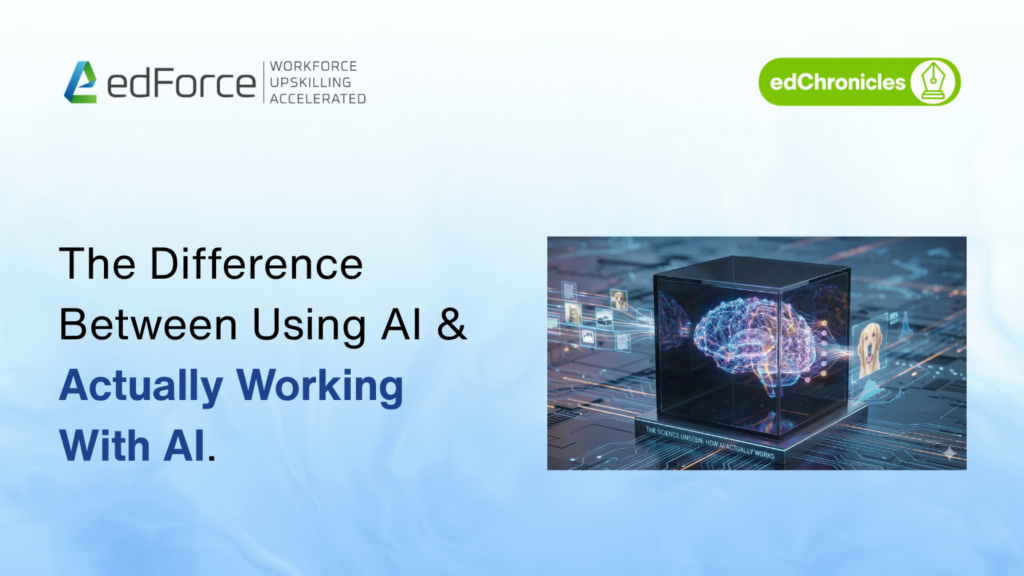
There’s a Big Difference Between Using an AI Tool and Actually Knowing How to Use AI AI can be used to create presentations, write emails, summarise reports, or even explain difficult topics. This is a useful first layer — but there’s more to it than that. AI is more than just a tool. Knowing what AI is and what it does, knowing how to use its output to improve business processes, and knowing how to verify that output are all part of genuinely working with AI. In 2026, this distinction matters more than ever, because AI has evolved from a personal productivity tool into a system woven into everyday business operations. The Easy Part of AI Is Using It Most professionals can learn the basics of AI assistants quite quickly: Ask a question Re-read the answer Change a few things Apply the result This may be enough for simple tasks. Imagine an employee who uses AI to create a report for a client. The tool produces a polished response, but some of the figures are outdated. The employee accepts it anyway because it sounds convincing. The AI wasn’t at fault. It was a lack of process. This is where the difference between using AI and working with AI becomes clear. What Does It Actually Mean to Work With AI? AI is best used as part of a broader workflow, not as a standalone application. Professionals working seriously with AI tend to ask questions like: What information does the system actually need? What tasks should AI perform? Where is human approval still required? How should the output be checked for accuracy? Can the process be safely repeated? What happens if AI gets it wrong? These questions go well beyond writing a good prompt. They require data awareness, process design, evaluation skills, and domain knowledge. AI skills, in other words, have become more than knowing how to operate a chatbot. AI Literacy Is Becoming a Core Workplace Skill In the past, many office roles depended on knowing how to use spreadsheets. Basic AI literacy today is similar. Employees are increasingly expected to understand what AI is capable of, where it excels, and where human judgment is still necessary. HR professionals might use AI to organise candidate information. Finance teams might use it to spot patterns across large documents. A software team might use it to explain or generate code. The tool itself changes depending on the department. But the underlying skill stays the same: using AI effectively and responsibly. Prompting Is Useful – But It’s Not the Whole Skill Prompt engineering was the first AI skill to gain widespread attention, because better instructions tend to produce better results. Enterprise AI training use, however, is moving beyond simple prompting. A good AI user knows how to provide context. A strong AI practitioner also knows where that context should come from, what shape it should take, and how to evaluate the results it produces. Take a customer service team as an example. The common approach is asking AI to “write a reply to this client.” A stronger approach gives AI access to relevant information – approved product data, customer history, company policy, and response guidelines. The second approach is far closer to how AI will actually be used across businesses going forward. Knowing What Not to Automate through AI This may become one of the most important AI skills in the coming years. It’s tempting to automate everything that can be automated. But AI isn’t the right answer for every problem. Even when AI can produce a quick answer, decisions involving legal responsibility, sensitive employee information, financial risk, or customer safety may still require human review. The strongest AI professionals understand these boundaries clearly. They don’t ask, “Can AI do this?” They ask, “Should AI do this — and under what conditions?” That’s a far more useful question for any enterprise to be asking. Working With AI Requires Verification AI can produce a response in seconds. That doesn’t mean the response is correct. Professionals who work well with AI develop the habit of checking important outputs against reliable sources, and learning to recognise when something looks off — rather than assuming fluent writing means accurate reasoning. This shifts workplace behaviour in a meaningful way. Employees are no longer just producing and reviewing their own work. In many workflows, they’re now reviewing machine-generated work before it reaches another employee, a customer, or a business system. That takes judgment. And judgment isn’t something you can automate with another prompt. From AI Tools to AI Workflows The next wave of enterprise AI adoption will likely involve fewer isolated experiments and more integrated workflows. Picture a process where AI summarises customer conversations, identifies next steps, drafts a proposal, updates internal records, and flags where human approval is needed. The salesperson is still involved. But their role has shifted. Instead of manually completing each step, they now supervise an automated workflow — letting AI handle repetitive tasks while they focus on relationships, decisions, and exceptions. Agentic AI is likely to expand this shift significantly. Rather than simply responding to individual requests, AI will increasingly complete sequences of tasks within defined parameters. Why Businesses Need a Different Kind of AI Training A short introduction is enough to teach employees how to use an AI tool. But enterprise training needs to answer a different question: Can this technology genuinely help our teams work better? That requires training built around real business scenarios. A software engineer may need AI-assisted development skills. A cloud engineer may need familiarity with AI infrastructure. A data team may need to work directly with AI models and pipelines. Business teams may need skills in AI-assisted analysis and workflow automation. The right training path depends on the employee’s role. A generic AI course simply can’t close every skill gap. The Future AI Employee May Not Look Like an “AI Specialist” This shift is worth paying attention to. AI skills won’t be limited to people with “AI” in